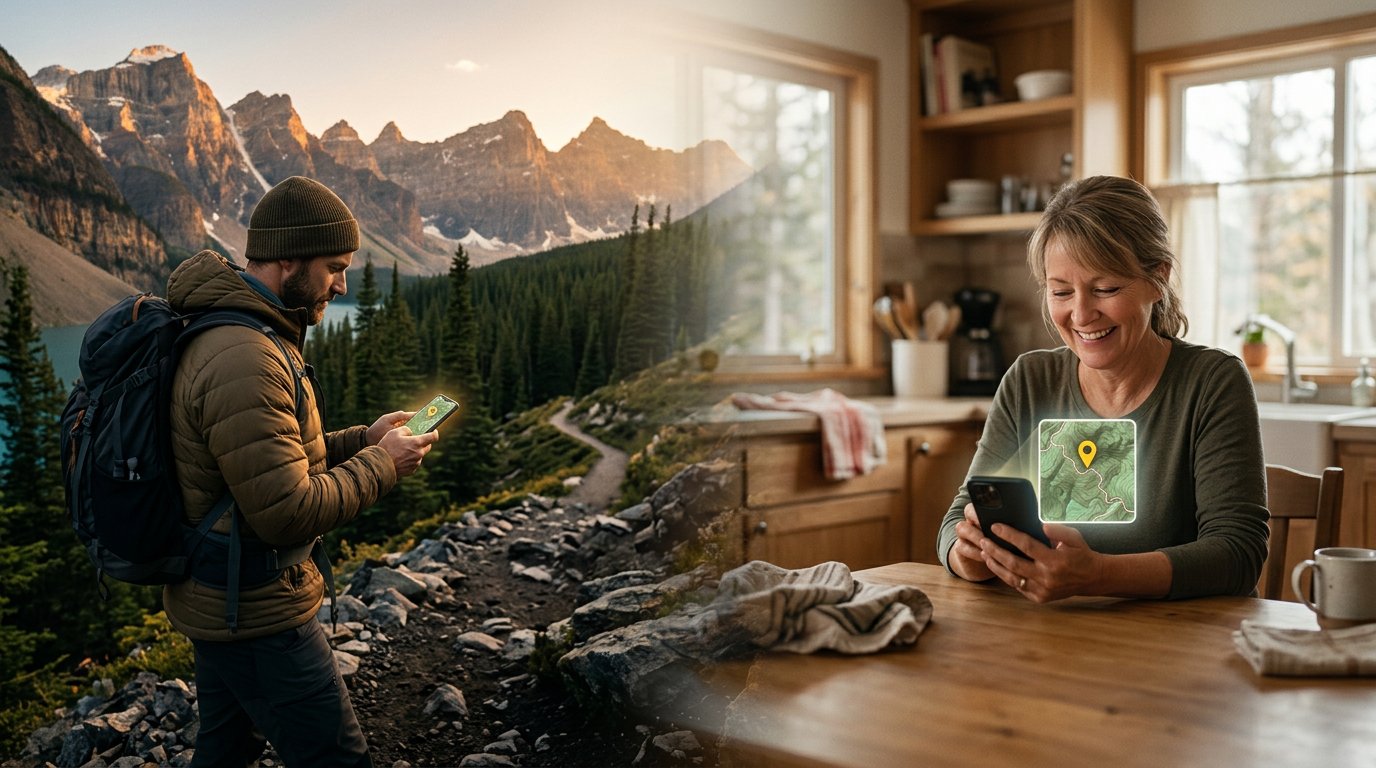
Keep Your People Informed.
No Data Required.
Text RidgeText to send trail maps, weather reports, images, and more to your contacts — even when you're deep in the backcountry without a data signal.
A Simple Text. A Wealth of Information.
You might ask: if you can text RidgeText, why not just text your contact directly? Because a plain SMS can't deliver a topographic trail map, a five-day weather forecast dashboard, or an image you created. RidgeText can.
You Have No Data. RidgeText Does.
In a remote canyon with no signal? A simple text message tells RidgeText to fetch and forward whatever your contacts need — trail maps, weather, your location — using its own internet connection.
Rich Data, Not Just Words.
Instead of texting your contact "I think there's a storm coming" or "I'm somewhere on the north ridge", your contacts get the same quality of information RidgeText gives you — not your best guess.
Always Opt-In. Always in Control.
Connections are never created automatically. Both sides must share a link directly and accept it — the contact stays in full control, and can remove the connection at any time.
Everything RidgeText Can Do — Sent to Your Contacts
Any RidgeText feature you have access to can be relayed to a contact. Just tell RidgeText what to send and who to send it to.
Trail Maps
Send your route or a trail map to a contact
You text:
"Send Alex the trail map for Enchanted Valley"
RidgeText replies:
"Trail map for Enchanted Valley sent to Alex."
Weather Reports
Forward weather forecasts so contacts can plan around you
You text:
"Send Sarah tomorrow's weather at Mount Rainier"
RidgeText replies:
"Weather report for Mount Rainier sent to Sarah."
Location Updates
Let contacts know exactly where you are on the map
You text:
"Send my current location to Mom"
RidgeText replies:
"Your location has been sent to Mom."
Images & Analysis
Forward AI-generated images or analyzed photos
You text:
"Generate a map of the Cascades and send it to Jordan"
RidgeText replies:
"Cascade Range image generated and sent to Jordan."
What Your Contact Actually Receives
RidgeText delivers a full message to your contact on your behalf — not just a forwarded text, but rich data with context.
Alex's phone receives:
RidgeText
on behalf of Jim Smith
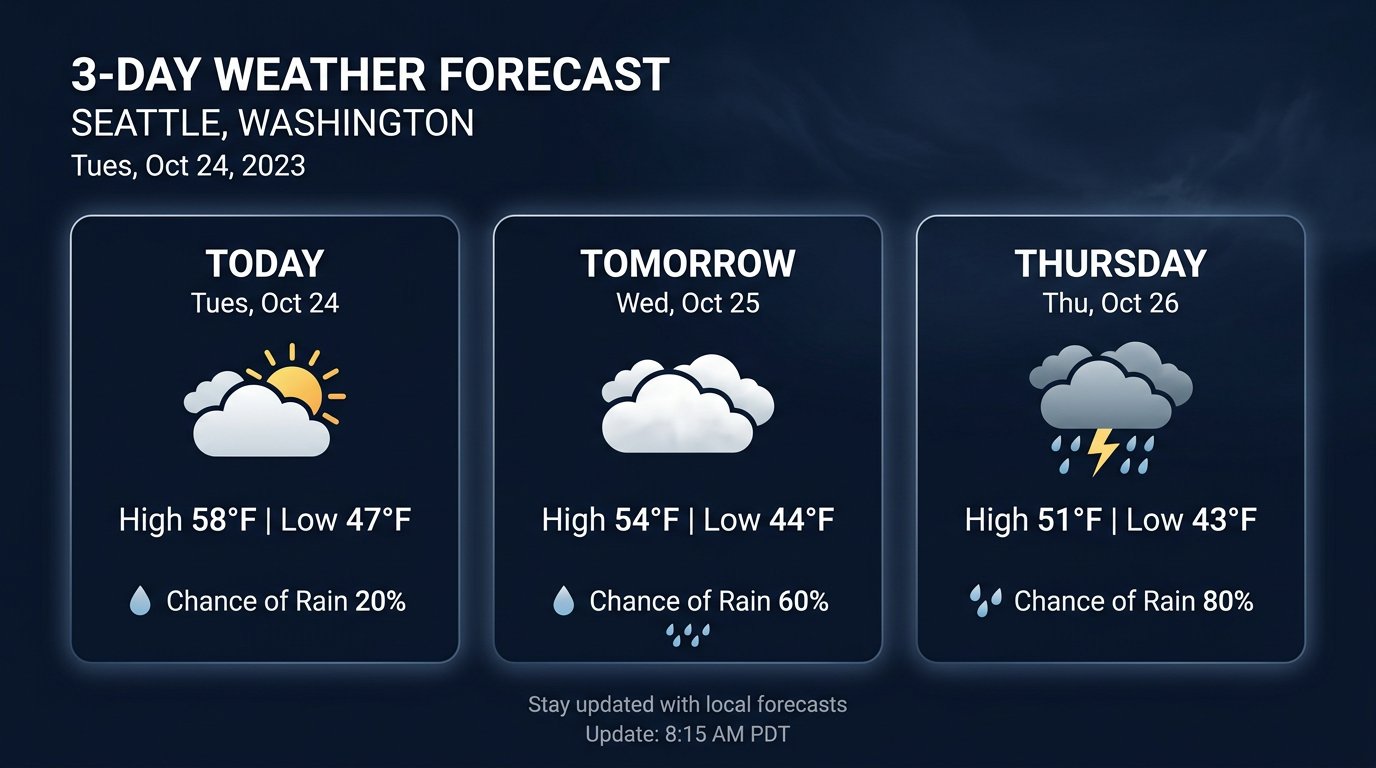
Today: Partly cloudy, high 58°F / low 47°F. 20% chance of rain.
Tomorrow: Mostly cloudy, high 54°F / low 44°F. 60% chance of rain.
Thursday: Rain, high 51°F / low 43°F. 80% chance of rain.
Clear attribution
Alex always knows the message is from Jim, relayed by RidgeText — never anonymous or confusing.
Inline data with a visual
The contact gets a readable text summary and an image — the same output Jim would have received himself.
No app required
Alex receives this as a standard SMS/MMS — no app, no login, no special setup on their end to read it.
Setting Up Your First Contact
Contacts are managed through the RidgeText dashboard at ridgetext.com. The process involves two steps: you generate a connection link, and your contact creates a RidgeText account to accept it.
Part 1: Generate Your Invite Link
Log in to ridgetext.com
Go to your user dashboard and navigate to the Contacts section.
Generate a unique invite link or QR code
Click Add Contact and RidgeText generates a unique URL and QR code tied to your account. Only you can generate this link.
Share the link with your contact
Send the URL or have them scan the QR code — via regular SMS, email, or any messaging app. Do this before you go off-grid.
Plan ahead: Generate and share your contact link before heading into the backcountry. Once you're off-grid, you're texting — not browsing the web.
Part 2: Your Contact Accepts the Invitation
Contact visits the link
Your contact opens the URL you sent. The page explains what they're connecting to and shows who sent the invite.
Contact creates a RidgeText account
A free account is sufficient to receive messages. They sign up with their phone number — no credit card required to be a contact recipient.
The connection is established
Once they complete sign-up via your link, they appear in your Contacts dashboard and you can relay RidgeText features to them by name.
Ready to use!
Once connected, just text RidgeText: "Send [contact name] the weather for Grand Teton" and it's done.
Enable Two-Way Communication
By default, communication is one-way: you relay RidgeText features to your contact, but they can't relay features back to you. To enable the reverse, your contact generates their own invite link and shares it with you — completing the loop.
One-Way (Default)
You relay RidgeText features to your contact. They receive rich data like maps, weather reports, and images.
A free RidgeText account is sufficient for the contact to receive messages.
Two-Way (Optional)
Your contact can also relay RidgeText features back to you. Each direction requires its own connection setup.
The contact needs their own Explorer or Ranger plan to relay features — not just receive them.
To set up the reverse connection:
Your contact logs in to ridgetext.com and goes to their own Contacts dashboard.
They generate their own unique invite link and share it with you.
You visit their link and accept the connection from your RidgeText account.
Now either of you can relay RidgeText features to the other via SMS.
Why the manual process? This design ensures no one is ever added as a contact without their knowledge. Every connection requires active consent from both sides — no auto-accept invites, no unsolicited additions. You are always in full control of your contact list.
You Control Who Hears From You
The dashboard at ridgetext.com gives you complete visibility into your contact list. View active connections, remove contacts at any time, and see who can receive messages on your behalf.
- Add contacts via unique invite links — never by phone number lookup
- Remove any contact at any time from the dashboard
- Contacts only receive what you explicitly tell RidgeText to send
- Up to 10 contacts depending on your plan
My Contacts
3 of 10Alex Thompson
You can send
Free
Sarah Chen
Two-way
Explorer
Mom
You can send
Free
Ready to Keep Your Team Informed?
Contacts are available on Explorer and Ranger plans. Get started today and give your crew better information — even when you're off the grid.